Yes — the Flex theme includes a built-in icon library that you can use in several sections and features across your Shopify store. To use an icon in Flex, choose an icon style in Theme settings > Elements, then enter the icon’s exact name into the Icon field for the section or block you are editing.
This article explains how to use icons in the Flex theme, which icon styles are available, where icons can be used, and the full list of supported icon names.
How do I use icons in the Flex theme?
To add an icon in Flex:
- Open the Theme editor.
- Go to Theme settings > Elements.
- Choose your preferred Icon style:
- Outline
- Solid
- Find the icon name you want to use from the list below.
- Enter the exact icon name into the Icon field of the section or block you are editing.
To avoid display issues, copy the icon name exactly as it appears in the list.
What icon styles are available in Flex?
The Flex theme includes two built-in icon styles:
- Outline icons for a lighter, more minimal look
- Solid icons for a bolder, filled appearance
Most icon names are available in both styles unless otherwise noted.
Where can I use icons in Flex?
Icons can be used in several Flex theme features, including:
- Announcement bar
- Mega menu bottom bar
- Icon bar
- Add to cart button
- Featured promotions
- Text columns with icons
If a section includes an Icon field, you can usually enter one of the supported icon names listed in this article.
Full list of Flex theme icons
Below is the complete list of icon names available in the Flex theme.
Core icons
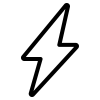
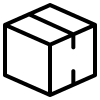
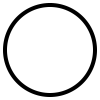
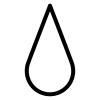
avatar, avatar-2, bag, basket, battery, bee, bicep, bicycle, binoculars, bolt, bookmark, box, briefcase, bullet, bunny, calculator, calendar, cart, chat, checkmark, circle, clock, cloud, clover, document, document-2 (Solid only), dollar, droplet, email, euro, eye, film, flag, flower, folder (Outline only), gear, gem, gift, globe, grid, hanger, heart, house, info, leaf, leaf-2, lightbulb, like, link, lock, map, megaphone, menu, minus, moon, music, paper-clip, pentagram, phone, photo, pin, plus, pound, recycle, rocket, rss, ruler, search, shield, skull, skull-and-crossbones, slash, slider, snowflake, square, star, sun, sun-2, tag, tree, triangle, truck, umbrella, wrench, x, yen, zoom
Directional icons
left-arrow, right-arrow, up-arrow, down-arrowleft-caret, right-caret, up-caret, down-caret
Social media icons
behance, dribbble, facebook, flickr, houzz, instagram, linkedin, pinterest, snapchat, tumblr, twitter, vimeo, youtube, tiktok
Are all Flex icons available in both Outline and Solid styles?
Most icons are available in both styles, but a few are style-specific:
document-2is available in Solid onlyfolderis available in Outline only
If an icon does not appear as expected, check whether it is only supported in one icon style.
What icon name should I use for TikTok?
For TikTok, the icon name is generally entered as:
tiktok
In some theme files or asset references, TikTok icons may also appear as SVG filenames such as:
flex-tiktok-outline.svgflex-tiktok-solid.svg
For theme editor fields, use the icon name shown in the icon list unless your setup specifically requires a file reference.
Why is my icon not showing in Flex?
If your icon is not displaying, check the following:
- Make sure the icon name is entered exactly as shown in the list
- Confirm that the section or block includes an Icon field
- Verify that the selected Icon style supports that icon
- Recheck spelling, punctuation, and hyphen usage
Tips for using icons in Flex
- Copy and paste the icon name directly from the list to avoid typos
- Select your icon style first so your icons match the rest of your store design
- Use consistent icon styling across banners, menus, and promotional sections for a more polished look
Outline icon style
avatar |
avatar-2 |
bag |
basket |
battery |
bee |
behance |
bicep |
bicycle |
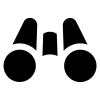
binoculars |
bolt |
bookmark |
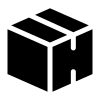
box |
briefcase |
bullet |
bunny |
calculator |
calendar |
cart |
chat |
checkmark |
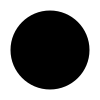
circle |
clock |
cloud |
clover |
document |
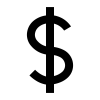
dollar |
down-arrow |
down-caret |
dribbble |
droplet |
|
euro |
eye |
|
film |
fire |
flag |
flickr |
flower |
folder |
gear |
gem |
gift |
globe |
grid |
hanger |
heart |
house |
houzz |
info |
|
krona |
leaf-2 |
leaf |
left-arrow |
left-caret |
lightbulb |
like |
link |
|
lock |
map |
megaphone |
menu |
minus |
moon |
music |
paper-clip |
pentagram |
phone |
photo |
pin |
|
plus |
pound |
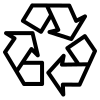
recycle |
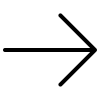
right-arrow |
right-caret |
rocket |
rss |
ruler |
search |
shield |
skull |
skull-and-crossbones |
slash |
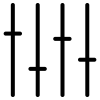
slider |
snapchat |
snowflake |
square |
star |
sun |
sun-2 |
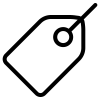
tag | tiktok |
tree |
triangle |
truck |
tumblr |
|
umbrella |
up-arrow |
up-caret |
vimeo |
wrench |
x |
yen |
youtube |
zoom |









































Solid icon style
avatar |
avatar-2 |
bag |
basket |
battery |
bee |
behance |
bicep |
bicycle |
binoculars |
bolt |
bookmark |
box |
briefcase |
bullet |
bunny |
calculator |
calendar |
cart |
chat |
checkmark |
circle |
clock |
cloud |
clover |
document |
document-2 |
dollar |
down-arrow |
down-caret |
dribbble |
droplet |
|
euro |
eye |
|
film |
flag |
flickr |
flower |
gear |
gem |
gift |
globe |
grid |
hanger |
heart |
house |
houzz |
info |
|
krona |
leaf |
leaf-2 |
left-arrow |
left-caret |
lightbulb |
like |
link |
|
lock |
map |
megaphone |
menu |
minus |
moon |
music |
paper-clip |
pentagram |
phone |
photo |
pin |
|
plus |
pound |
recycle |
right-arrow |
right-caret |
rocket |
rss |
ruler |
search |
shield |
skull |
skull-and-crossbones |
slash |
slider |
snapchat |
snowflake |
square |
star |
sun |
sun-2 |
tag | tiktok |
tree |
triangle |
truck |
tumblr |
|
umbrella |
up-arrow |
up-caret |
vimeo |
wrench |
x |
yen |
youtube |
zoom |